Process automation · AI
Invoice automation: from the inbox to the quarterly ledger, hands-free
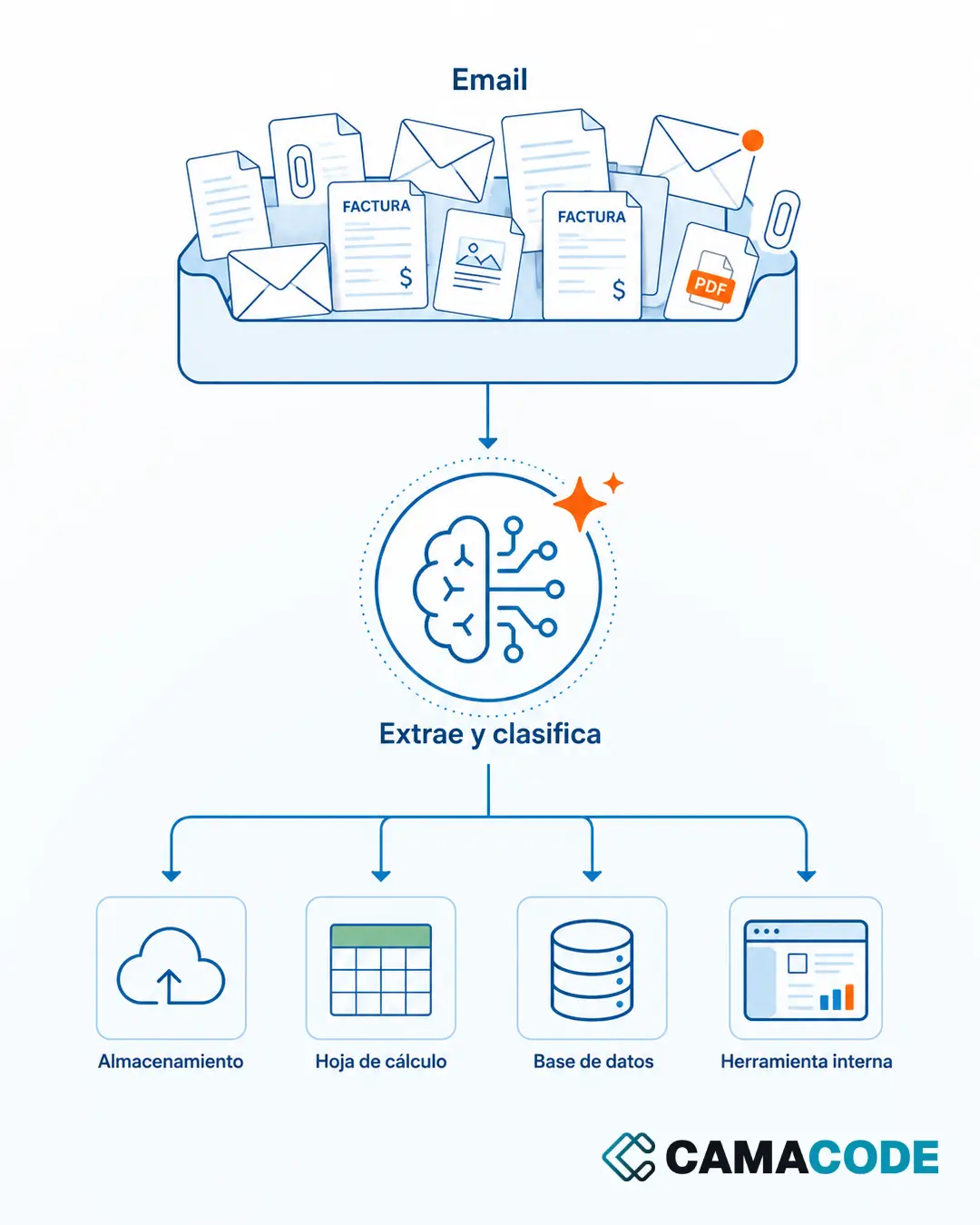
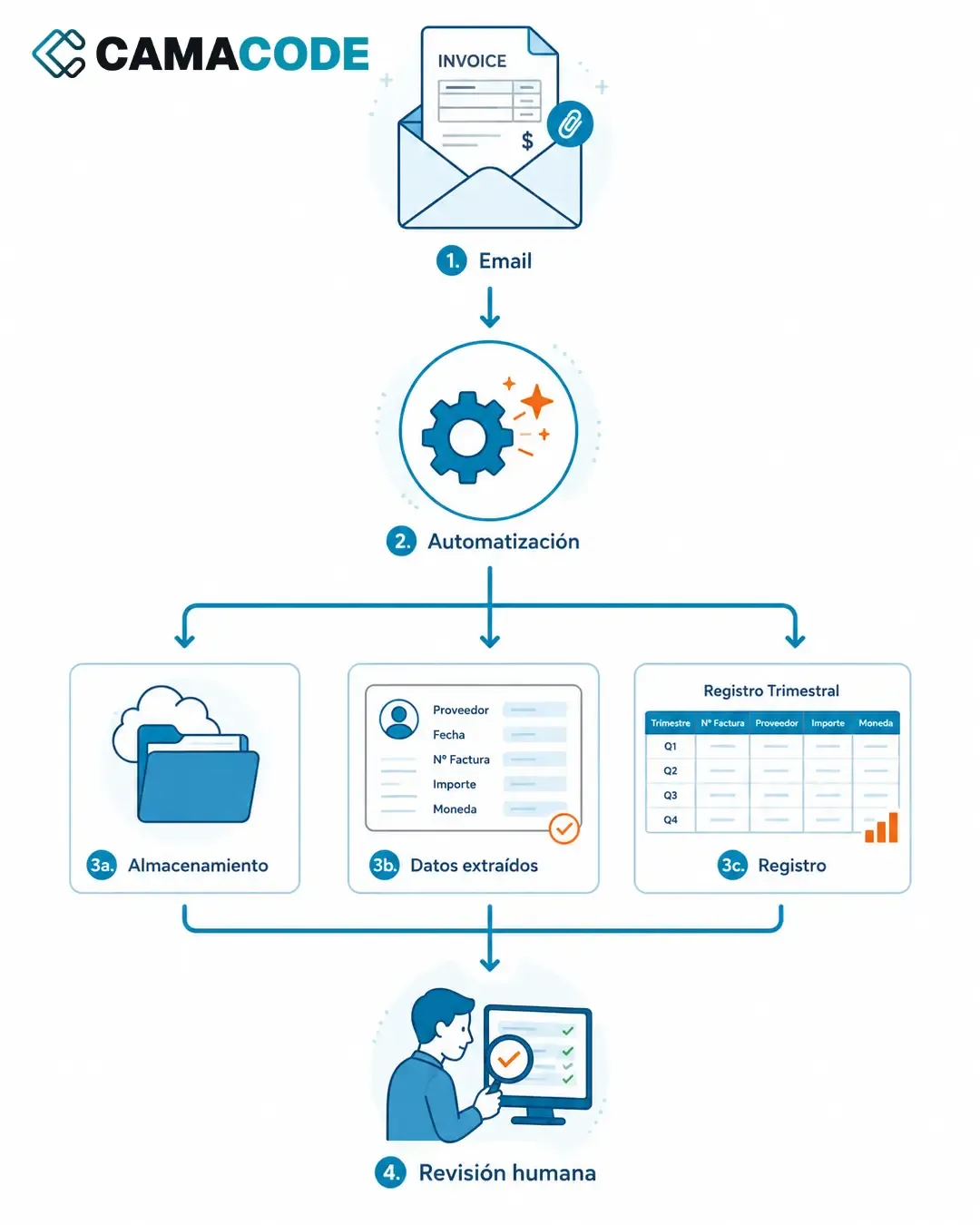
Camacode built an automation that detects invoices arriving by email, files them in the right folders of the storage system, uses AI to extract the relevant data and adds it to the quarterly ledger. The person only reviews; the mechanical part (searching, downloading, filing and typing) disappears.

Written by Lluís Casals Marsol · Founder at Camacode
Published on
- Industry:
- Administration / freelancers and small businesses
- Solution type:
- Invoice automation software with AI
- Services:
- Process automation
The problem
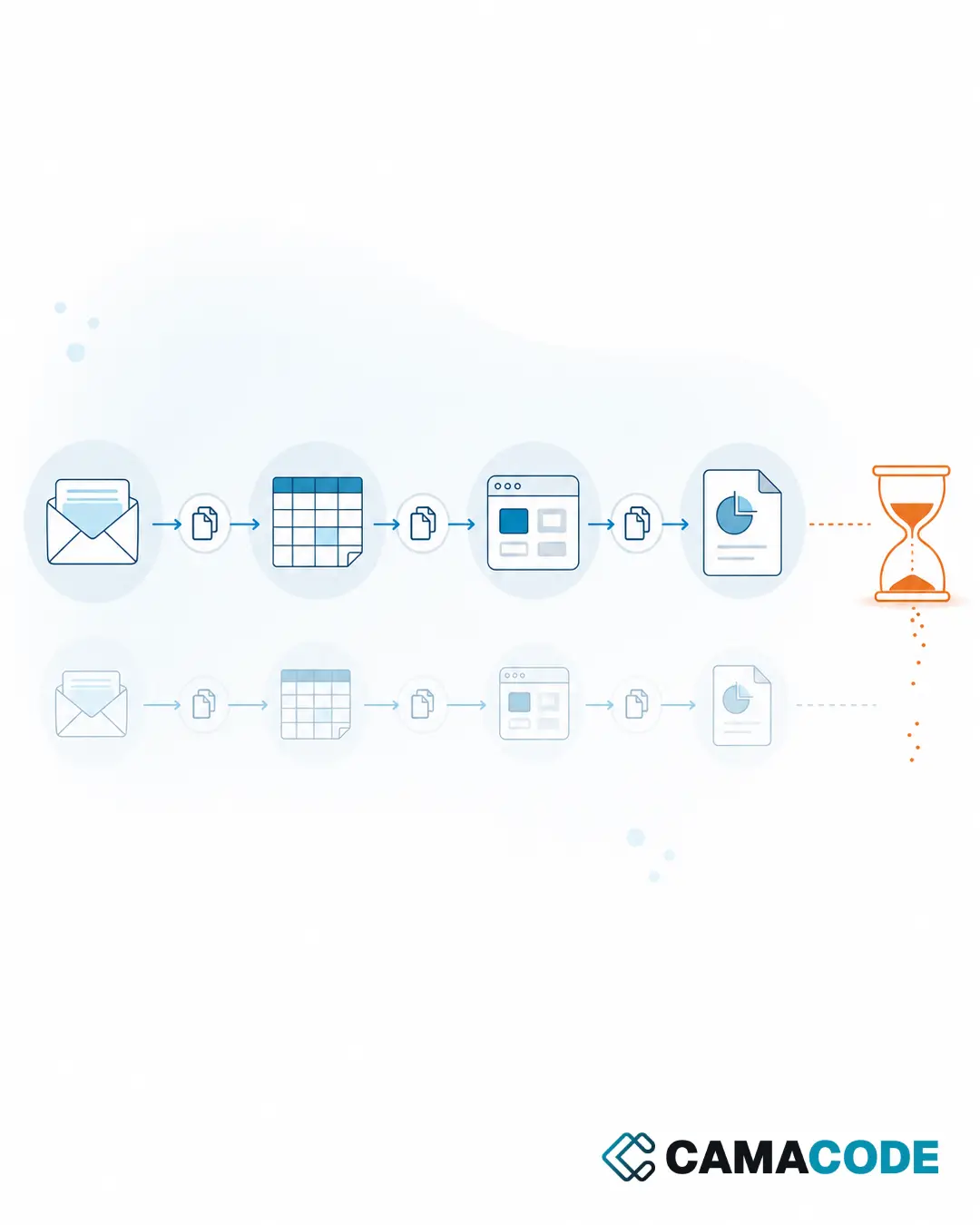
Every quarter brought the same scene: hunting for invoices in the inbox, downloading them one by one, saving them in the storage system with the right folder and the right name, and updating the ledger for the quarterly tax return. It isn’t a particularly hard task. What wears you down is repeating it over and over without slipping up: one invoice that gets away, an attachment saved in the wrong folder, a figure copied wrong, and closing the quarter turns into an afternoon of detective work.
The context
This flow is the daily routine for freelancers, small businesses and admin teams: invoices arrive by email (not always in an orderly fashion), they have to be filed so they can be found later, and their data has to be recorded for the quarter’s taxes. Three simple steps that, multiplied by dozens of invoices and twelve months, add up to hours of mechanical work. We show no real emails, tax IDs, amounts or suppliers; the flow described here is the pattern of the process.
The solution: custom invoice automation software
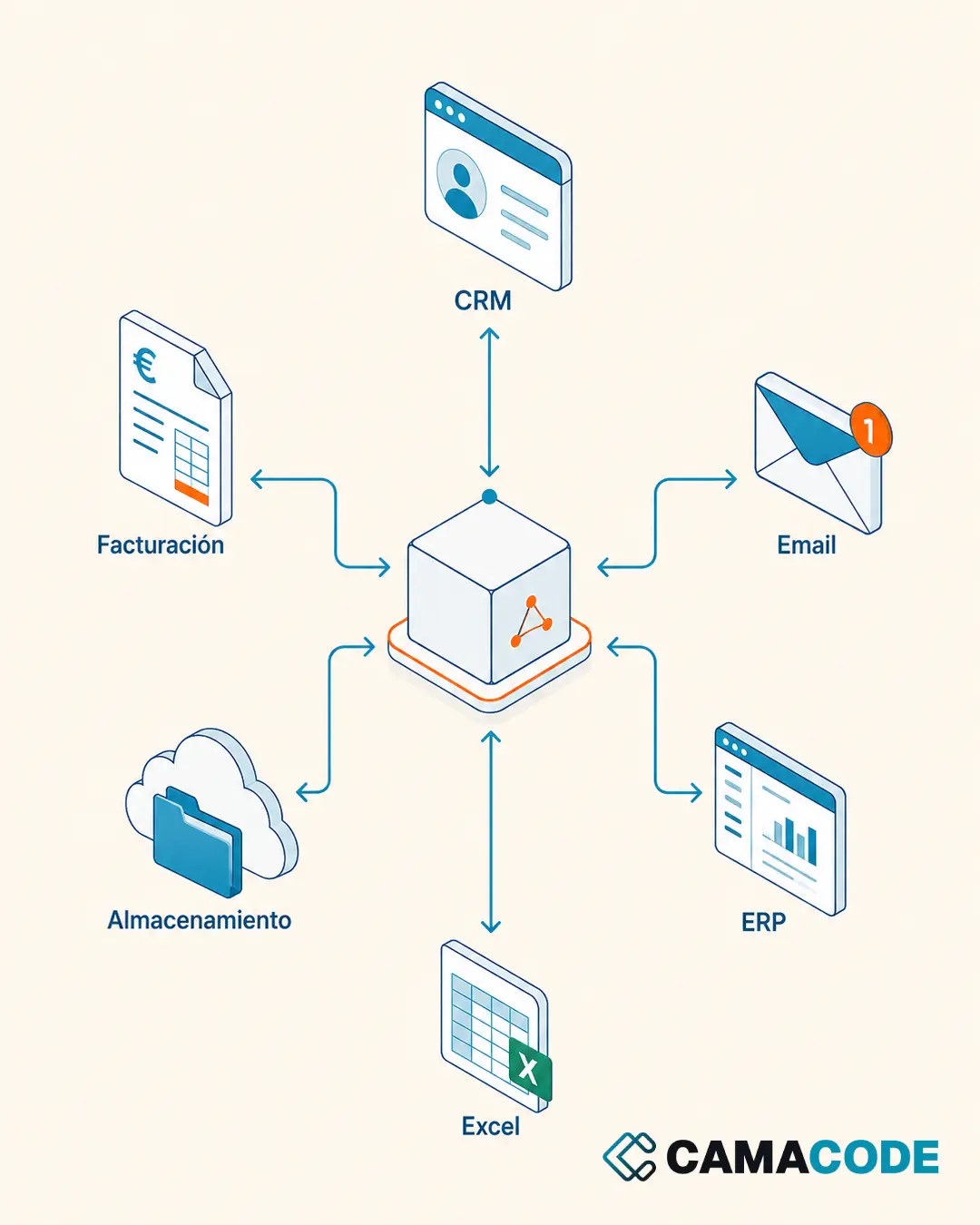
We built invoice automation software that connects the three points of the flow: intake, storage and ledger. The tool watches the inbox, spots the invoices among the rest of the messages and attachments, files them automatically into the folder structure of the storage system, and uses AI to read each invoice and pull out the relevant data (issuer, date, line items, amounts), which is added to the quarterly ledger. Invoice automation does not mean switching tools: the inbox, the storage and the ledger stay the same; what changes is that now they talk to each other.
How the invoice automation flow works
- Automatic detection: invoices are identified among emails and attachments without anyone having to look for them.
- Orderly filing: every invoice ends up in the right folder of the storage system, with consistent criteria, every time.
- AI data extraction: the relevant data is read from the invoice itself, with no manual copy-paste.
- Ledger always up to date: information is added as it arrives, not in an end-of-quarter binge.
- Human review where it counts: the person validates what the automation has prepared, instead of doing everything from scratch.
- Fewer transcription errors: removing manual copying removes the main source of mismatches.
Results
The person doesn’t disappear from the process: they stop doing the most mechanical part and focus on reviewing what matters. Closing the quarter goes from a dreaded task to a review, because the invoices are already filed and recorded by the time it comes around. And there is a less visible but equally valuable benefit: the peace of mind of knowing no invoice has been left lost in the inbox.
One thing to be clear about: the ledger the automation keeps is a working tool. It gets the mechanical part done early and keeps it tidy, but it does not replace your accounting or your tax adviser, who remain the ones who validate the quarterly close. What changes is that they get to that close with the invoices already filed and the figures already captured, instead of chasing them.
Do you have a similar process?
You don’t need to replace your whole system, or shop around for generic invoice automation tools, to get invoice automation working: often it’s enough to connect intake, storage and ledger properly. The same pattern works for quotes, delivery notes, receipts or any document that arrives by email and ends up in a spreadsheet. We go deeper in how to extract data from invoices with AI and in the hidden cost of copy-paste.
Do you lose hours every quarter sorting invoices and retyping data? Tell us what your current flow looks like and we’ll tell you which part can be automated first.